
Web reputation check tools and techniques analyze a domain’s, URL’s or website’s reputation and can point out malware or other types of security threats in the site’s past (or present). Many of these tools are free, too, allowing users to conveniently check URLs to determine if they’re safe.
Why does this matter for your business? Because you need your customers to feel safe when visiting your website.
In the U.S., almost 40% of internet users are worried about how companies use their personal data online. Moreover, phishing, personal data breaches, extortion and identity theft fall within the top eight types of internet crimes reported.
Overall, effectively managing your brand’s web reputation is crucial for preventing attacks and protecting online security. Having a solid online reputation can improve a brand’s online visibility, search engine ranking and website traffic.
Your brand’s online presence matters. Explore our services or call us at 844-230-3803 to speak with an expert.
What Is Web Reputation Analysis?
Reputation analysis involves checking a number of characteristics related to a website, including:
- Changes over time
- Search engine ranking
- Suspicious activity indicators
- User reviews
- Website age and history
These checks determine how credible and trustworthy the site is. From there, a score is assigned based on what’s discovered.
How Do Web Reputation Check Tools Work?
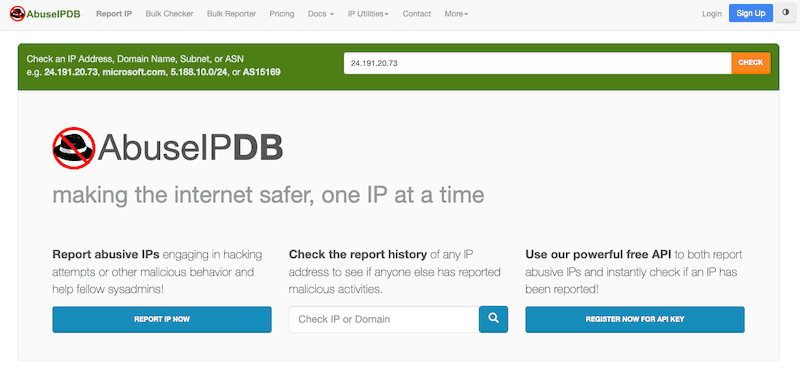
There are a number of free URL check tools to access, such as those from AbuseIPDB, BrightCloud, Cisco Talos, Trend Micro and VirusTotal.
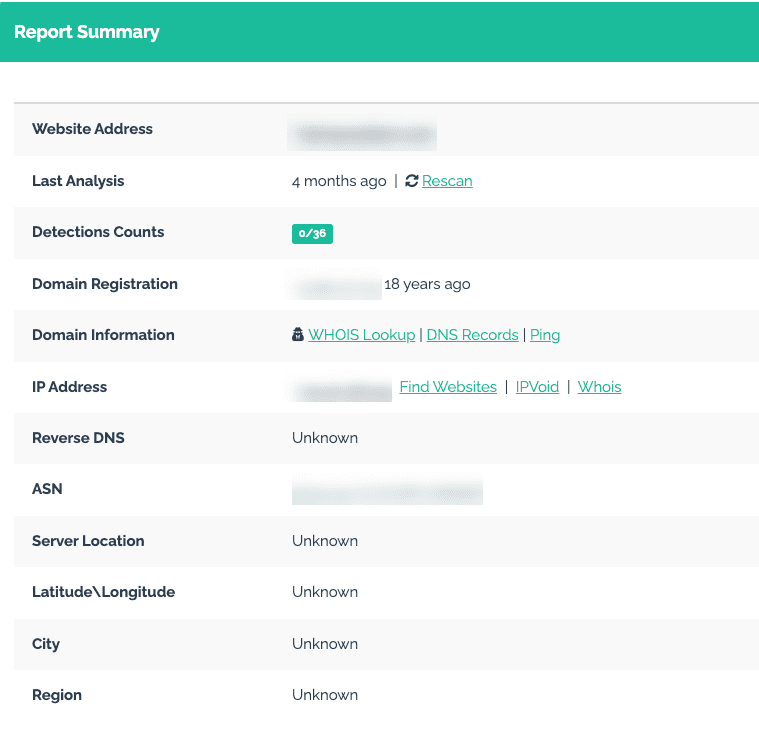
When you run a check on a URL using a scanning tool, detailed information is returned, including:
- Domain registration date
- HTML info
- IP address
- Server location information
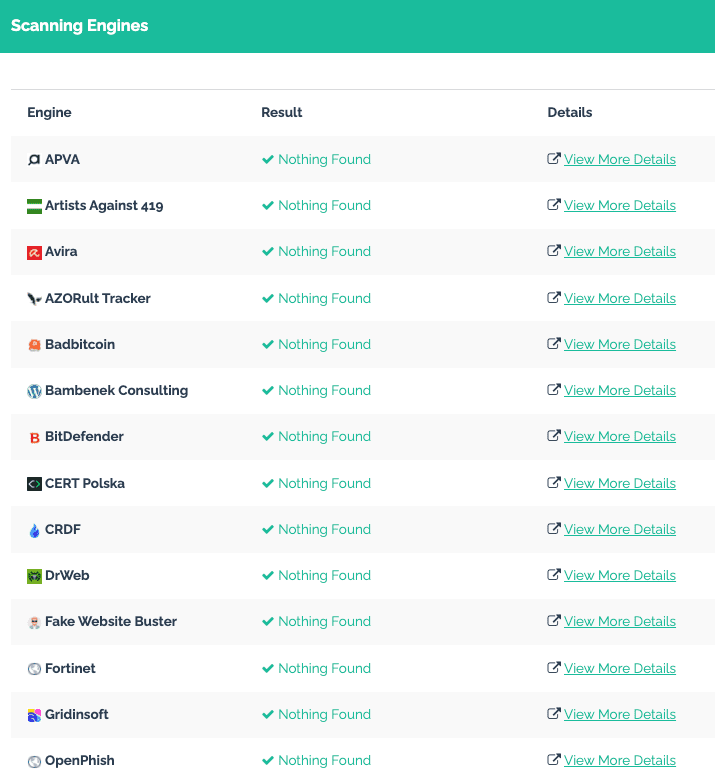
You’ll also see a list of sites that were scanned. These sites check if the URL you listed is in their databases. For example, Artists Against 419 has a Fake Sites List that URLVOID compares against the URL you checked.
While a free tool is an easy way to get started, you’ll eventually want a more comprehensive tool. Paid software may be able to provide more in-depth reports with all the information you need to make an informed decision about a website — whether that’s one you plan to access or your own that may need a reputation overhaul.
Also, a one-time check won’t cut it if you’re keeping an eye on your brand’s digital reputation. Instead, make checking your web reputation an ongoing process that you perform at consistent intervals.
We work with clients to help them build and take control of their online presence. Give us a call at 844-230-3803 to learn more about our services.
Free Consultation
Don't Let This Follow You Online
Every situation is different. Let's build a plan that fits yours — free consultation, no pressure.
What To Look for When Checking a URL
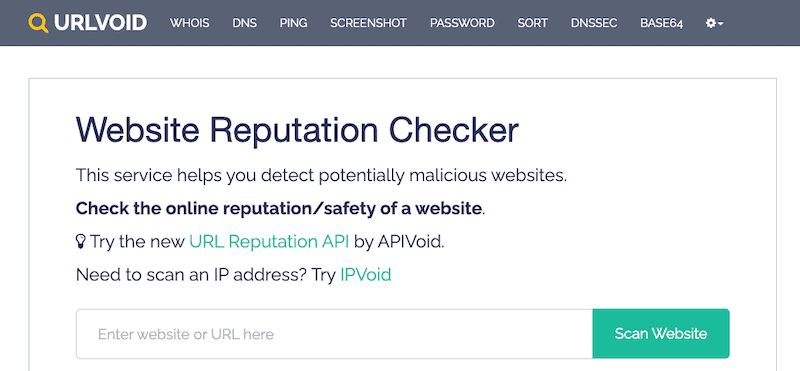
There are a variety of uses for web analysis tools, such as:
- Identifying and fixing vulnerabilities
- Monitoring for email threats, like phishing attacks
- Preventing the website from being compromised
- Web filtering that ensures users are trustworthy
Here’s what to look at when analyzing a URL:
Legitimacy
Age, registration and ownership information can give you a clue about the legitimacy of the site. An established domain that’s been around for years and has clear ownership information is more trustworthy than one that’s new and has kept all its registration information private.
Security Features
Make sure there are security measures in place, such as a Secure Sockets Layer (SSL) certificate. This is a digital file that authenticate’s a site’s identity and allows for a secure connection between the browser and the server. You can check for that encrypted connection by ensuring the URL begins with HTTPS instead of HTTP. These features keep user data safe and prevent breaches.
Suspicious Activity
Analyze historical records to determine if the site’s ever had suspicious activity, like attacks or malware. Conducting URL checks can tell you if security providers have flagged the web address in the past and what the reports were for.
User Feedback and Reviews
Learning what users have to say can tell you a lot about the brand’s reputation. By analyzing feedback on various review sites, you can also determine if a site’s been flagged for dangerous content or security issues.
Get started with a free online reputation analysis here or explore our services.
7 More Easy Ways To Manage Your Online Reputation

In addition to ensuring your site stays safe and protected, there are a number of ways to maintain and improve your online reputation.
- Consistently post high-quality, branded content to your blog and website that reflects your expertise.
- Utilize SEO strategies to improve your brand’s search engine ranking, visibility and traffic while suppressing negative information.
- Add schema markup to your website content so search engines have an easier time understanding it.
- Regularly share on-brand content on your social media accounts to expand your reach, and make sure to engage with your audience instead of only posting.
- Work with influencers in your niche to positively influence your target audience.
- Monitor review platforms, especially major ones like Google, Trustpilot and Yelp, for recent feedback and ratings, and be sure to respond quickly and professionally.
- Set up a free Google Alerts account so you know as soon as your brand name is mentioned online. (There are also more advanced listening tools for better tracking and sentiment analysis.)
Evaluating Web Reputation: Recap
Before we wrap up, let’s go over the basics of evaluating a brand’s or site’s web reputation:
- A thorough analysis is necessary to evaluate the reputation of a URL.
- A variety of key metrics are looked at to ensure the site is safe and secure.
- URL check tools let the user input a URL to access detailed information about the site, including threat information.
- The most important step in checking URL history is analyzing records about suspicious activity, including malware and attacks.
- Domain specifics are also important when determining if the URL is legitimate, such as age, registration and ownership.
- In general, an older, established domain with transparent ownership information is considered trustworthy.
- Checking for HTTPS and SSL certificates lets you know if the site has basic security features in place.
- User feedback gives you an overview of a site’s reputation and can also highlight reported security issues.
Free Consultation
Ready to Take Control of Your Online Reputation?
Our team can help you remove, suppress, or respond to content like this. Talk to us today for a free, no-obligation consultation.
Final Thoughts
Protecting your brand’s online reputation is an ongoing process. With advanced tools and the latest information, you can keep your site protected every day. And thanks to technology, checking and analyzing detailed domain information is possible.
However, despite the convenience of modern tools, that may be too much to juggle for some business owners.
At OnlineReputation.com, we offer a range of ORM services, including search engine optimization, review monitoring, content removal and more. Our five-step ORM strategy ensures we cover every base to create a tailored program that’s right for you.
Get started with a free online reputation analysis here or call us at 844-230-3803 to speak with an expert.
Free Consultation
Talk to a Reputation Management Expert
Get a personalized plan to protect and repair your online reputation.
You might also like

New Year, Same Google Results? Here’s How to Change the Narrative in 2026
You ask for the fastest route and trust the result.Then you skim the first answer and move on.Soon after, you …
